Quotations on your phone. No internet needed.
Add your company details once. Then create a clean PDF quotation in minutes and share it on WhatsApp, or anywhere else.

Free for Android, with ads. No account needed.
Two steps
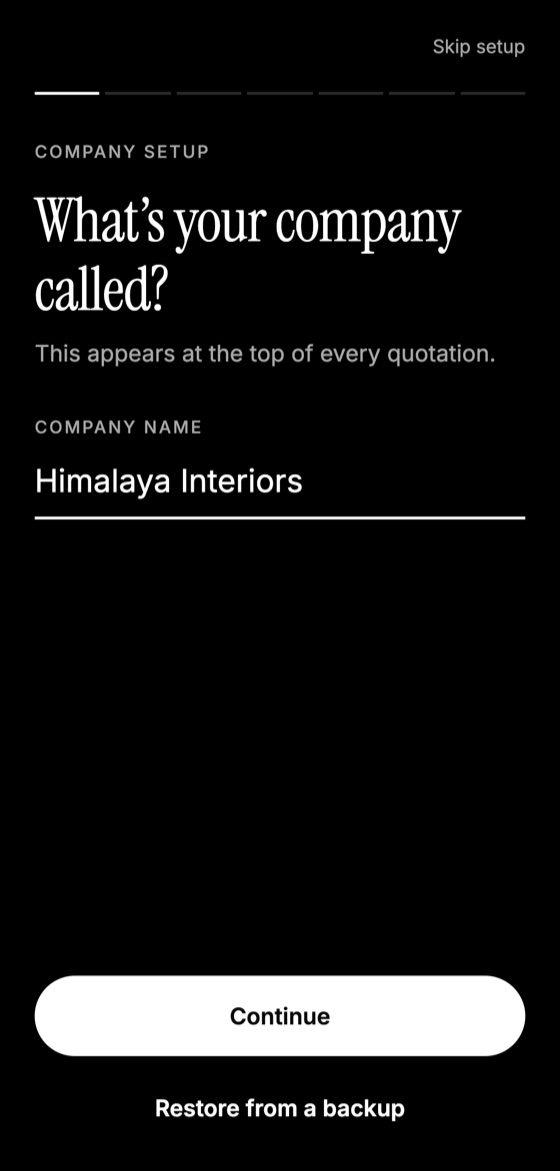
Fill in your company details
Name, address, phone, email, logo and currency. You only do this once, and you can skip anything you don't need.
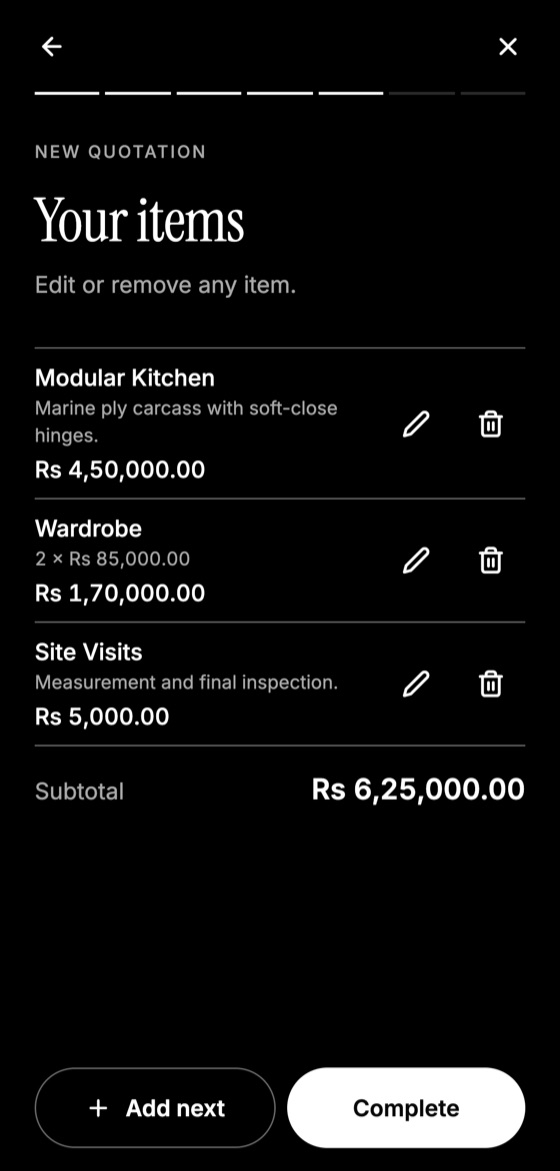
Generate your quotation
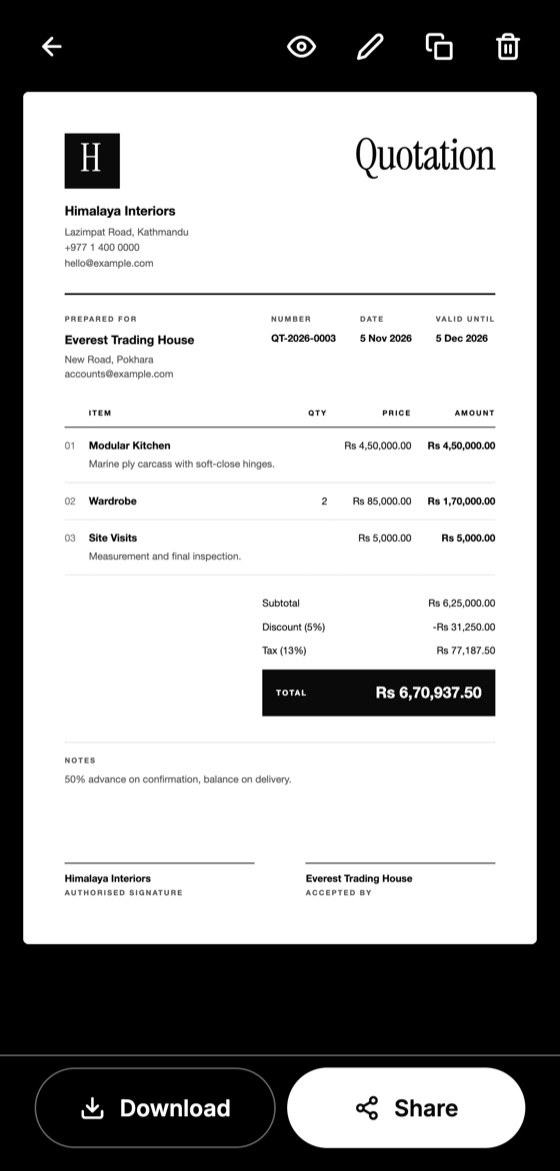
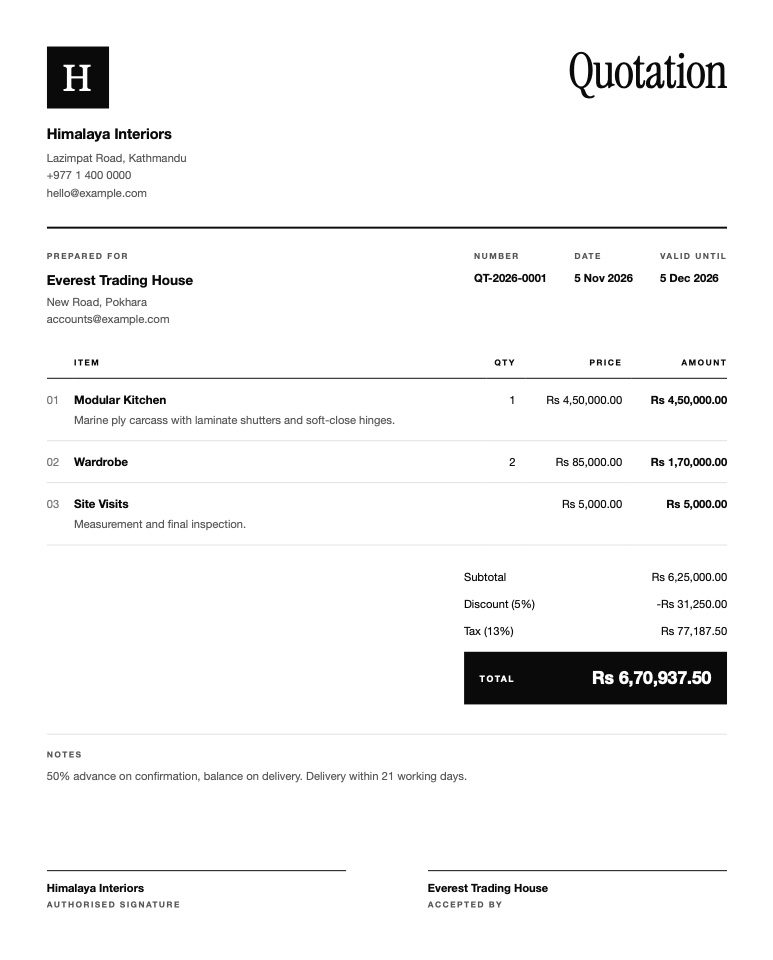
Add your client and items, one simple step at a time. Get an A4 PDF to download or share.
See it in the app
Works offline, wherever you are
On a job site, in a warehouse or with a weak signal, you can still send a price before you leave. Everything is stored on your phone.
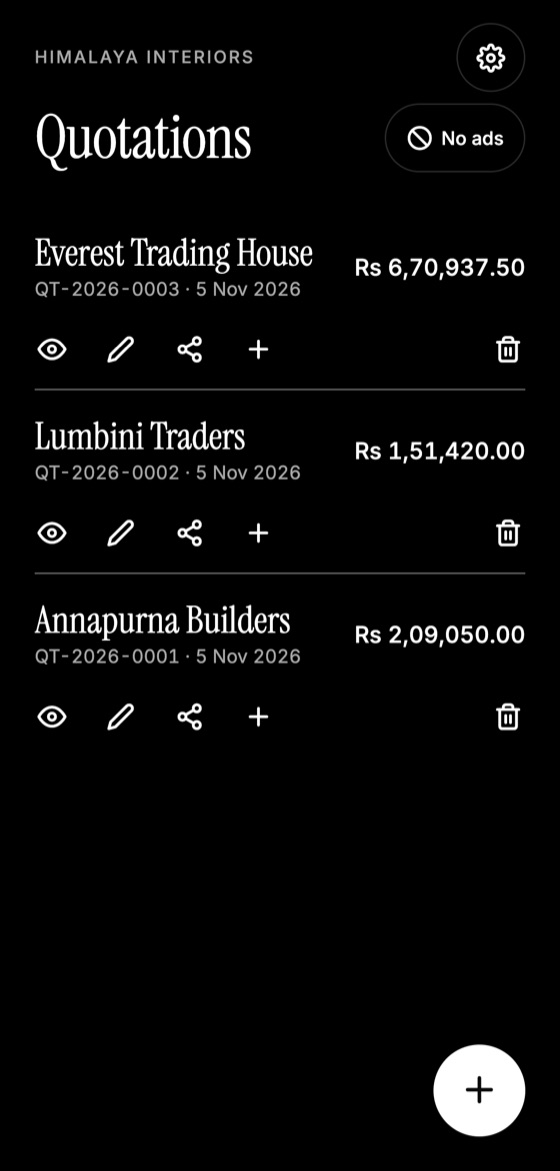
- Create, edit and duplicate quotations offline
- Logo, signature lines, tax and discount on every PDF
- Automatic numbering, such as QT-2026-0001
- Backup and restore when you change phones
Questions
Does the app work without internet?
Yes. Your company details, quotations and PDFs all work offline. Banner and video ads only appear when you are online, and they need a connection to load.
Is it free?
Yes, the app is free and supported by ads. You can watch one short video to turn full-screen video ads off for a month.
Do I need an account?
No. There is no sign-up. Your details and quotations are stored on your phone.
How do I send a quotation to a client?
Open the quotation and tap Share to send the PDF through WhatsApp, email or another app, or tap Download to save it in a folder.
What happens if I change phones?
Send a backup file to yourself from Settings, then choose Restore from a backup on your new phone. It brings back your company details, logo and quotations.
Can I add my logo and currency?
Yes. Add your logo during setup, choose from over 30 currencies, and set a default tax rate. You can change them at any time in Settings.
Guides for quoting better
What to Include in a Quotation: 12 Essential Details
A complete checklist of what a professional quotation should include, from your contact details and itemised prices to validity dates and signatures.
How to Write a Quotation Step by Step
A simple step-by-step method for writing a professional quotation that is clear, accurate and easy for your client to accept.
Quotation vs Invoice: What's the Difference?
Quotations and invoices look similar but do different jobs. Learn when to send each one, what each must include, and how to avoid common mix-ups.
Quotation vs Estimate: Which One Should You Send?
An estimate is a rough guide, while a quotation is a firm offer. Learn the difference, when to use each, and how to word them to avoid disputes.
How Long Should a Quotation Be Valid?
How to choose a sensible validity period for your quotations, with typical timeframes, wording examples, and what to do when a quote expires.
How to Number Your Quotations: A Simple System
Why every quotation needs a unique number, simple numbering formats that work, and mistakes to avoid as your business grows.