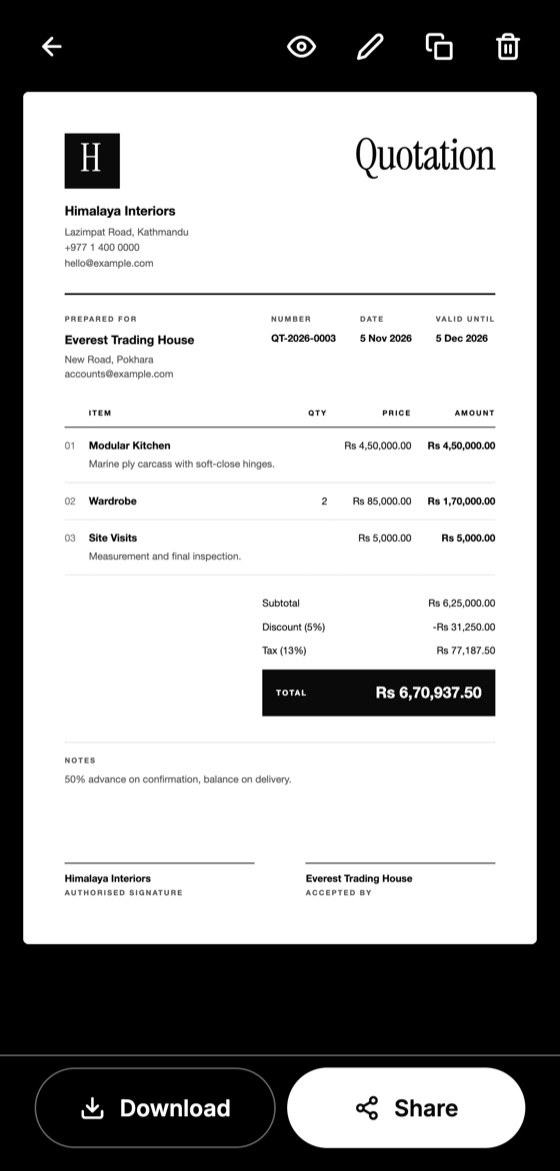
A client who receives a clear quotation can say yes quickly. One who receives a vague price usually comes back with questions, or goes elsewhere. These are the details that make a quotation complete.
The details every quotation needs
- Your company name and logo, so the client knows who is quoting.
- Your contact details, including the phone number and email you actually answer.
- The client's name and address, so the quotation clearly belongs to them.
- A unique quotation number, which makes it easy to find later.
- The date issued, because prices change.
- A validity date, which tells the client how long the price holds.
- Itemised products or services, each with its own line.
- Quantities and unit prices, where they apply.
- Subtotal, discount and tax, shown separately.
- The final total, clearly the most visible number.
- Terms and notes, such as payment schedule and delivery time.
- Signature lines, so both sides can confirm the agreement.
Details that are easy to forget
Exclusions prevent most arguments. If your price leaves out transport, permits or site cleaning, say so. A client will assume anything not mentioned is included.
Also state your currency when working across borders. A total of 5,000 means very different things in different currencies.
Make this quotation on your phone. Add your company once, then create and share a PDF, even without internet.

Keep it to one clear document
Your client should not need your messages to understand the price. Treat the quotation as the single place where the job, the price and the terms are written down. If something changes later, issue a revised version with a new date instead of agreeing to it only by phone.
A quick final check
Before sending, read it as the client would. Is the name spelled correctly? Do the line totals add up? Could someone who was not in your conversation understand exactly what they are buying? If so, it is ready.
For the wording itself, see our guide on how to write a quotation.
Quotation Maker App Offline is free on Google Play. It stores your work on your phone and creates a clean A4 PDF you can share anywhere.
Keep reading
How to Write a Quotation Step by Step
A simple step-by-step method for writing a professional quotation that is clear, accurate and easy for your client to accept.
Quotation vs Invoice: What's the Difference?
Quotations and invoices look similar but do different jobs. Learn when to send each one, what each must include, and how to avoid common mix-ups.
Payment Terms on Quotations: Options and Examples
Common payment terms for small businesses, from deposits to milestones, with example wording and advice on choosing what protects your cash flow.