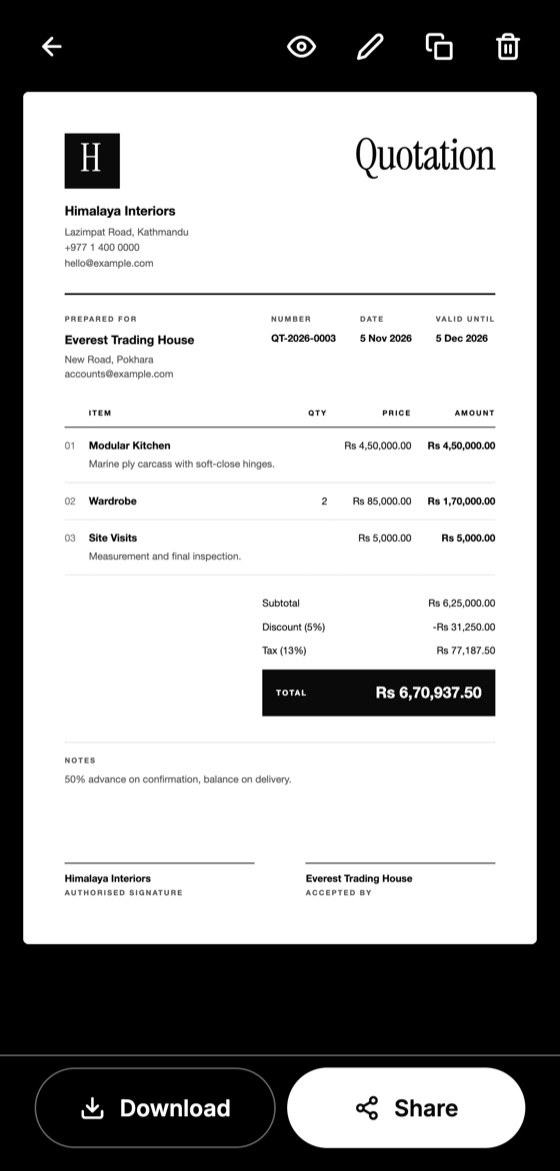
You don't need special training to write a good quotation. You need a clear order of work, and the discipline to write down what you have agreed. Here is a method that suits almost any small business.
Step 1: Understand the request
Ask questions before pricing. What exactly does the client need, by when, and where? What matters most: price, speed or quality? Five minutes here can save a rewrite later.
Step 2: List the work
Break the job into separate items. "Bathroom renovation" tells a client very little. "Remove old tiles", "waterproofing" and "fit new tiles" shows them what they are paying for.
Step 3: Calculate your costs
For each item, add up materials, labour, transport and any subcontractors. Then add your margin. Don't forget the time spent on visits and paperwork.
Step 4: Add the client's details
Use the client's correct business name and address. If you are dealing with a company, ask who should receive the quotation.
Make this quotation on your phone. Add your company once, then create and share a PDF, even without internet.

Step 5: Add tax and any discount
Show each one separately so the client can see how the total was reached. If you are unsure about tax treatment, check with an accountant before you send it.
Step 6: Set the terms
Add how long the price is valid, when payment is due, and when you can start or deliver. Plain sentences work best. "50% before work starts, balance on completion" is better than a page of legal wording.
Step 7: Review and send
Check names, sums and dates, then send it as a PDF, so the layout stays the same on any device and it can't be easily changed.
Step 8: Follow up
Most quotations don't get an instant answer. A short message a few days later is normal and often helps. Our follow-up guide has wording you can use.
Once you have done this a few times, keep your common items and terms so the next one takes minutes. Duplicating a past quotation is often the quickest way to start.
Quotation Maker App Offline is free on Google Play. It stores your work on your phone and creates a clean A4 PDF you can share anywhere.
Keep reading
What to Include in a Quotation: 12 Essential Details
A complete checklist of what a professional quotation should include, from your contact details and itemised prices to validity dates and signatures.
Quotation vs Invoice: What's the Difference?
Quotations and invoices look similar but do different jobs. Learn when to send each one, what each must include, and how to avoid common mix-ups.
How to Price Your Services Without Guessing
A straightforward way to calculate prices for your services, including hidden costs, a working hourly rate and sensible margins for small businesses.