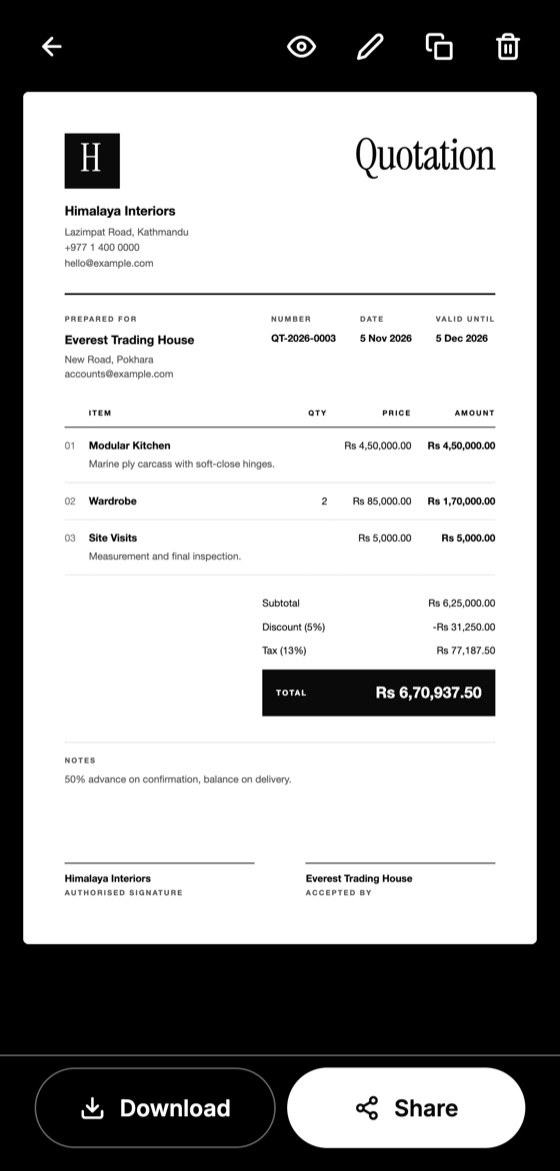
A quotation and an invoice can look almost identical, but they appear at opposite ends of a sale. Mixing them up can confuse clients and create problems with your records.
The simple difference
A quotation comes before the sale. It says: "This is what the work would cost, if you agree."
An invoice comes after the sale, or at agreed stages. It says: "This is what you now owe me."
When to send each one
Send a quotation when a client asks about a price, before any work is agreed. Send an invoice when you have delivered the work, reached a payment stage, or need a deposit that was agreed.
Make this quotation on your phone. Add your company once, then create and share a PDF, even without internet.

How they differ
- Purpose: a quotation offers a price, while an invoice requests payment.
- Numbering: quotations have their own series, and invoices usually have their own strict sequence.
- Dates: a quotation has a validity date, while an invoice has a payment due date.
- Tax records: invoices often have specific legal requirements for tax purposes, and quotations usually do not.
The rules for invoices vary between countries, so check what applies to your business.
The usual workflow
- The client asks for a price.
- You send a quotation.
- The client accepts it, ideally in writing.
- You do the work or deliver the goods.
- You send an invoice based on the accepted quotation.
- The client pays.
Common mistakes
Don't send an invoice when you mean to send a price estimate, since the client may think they already owe you money. Equally, don't treat a quotation as proof of a sale. It only records an offer until it has been accepted.
Keep the accepted quotation with your job records. If the client questions the invoice later, it shows what was agreed.
Quotation Maker App Offline is free on Google Play. It stores your work on your phone and creates a clean A4 PDF you can share anywhere.
Keep reading
What to Include in a Quotation: 12 Essential Details
A complete checklist of what a professional quotation should include, from your contact details and itemised prices to validity dates and signatures.
How to Write a Quotation Step by Step
A simple step-by-step method for writing a professional quotation that is clear, accurate and easy for your client to accept.
Markup vs Margin: Calculate Profit on a Quote
Markup and margin are not the same thing. Learn the difference, the simple formulas, and how to avoid quoting less profit than you intended.