A price sent as a chat message or an editable document can work, but a PDF is usually the better choice for a business quotation. Here's why, and how to make the most of one.
It looks the same everywhere
A Word or Excel file can shift when opened on another device. Fonts change, tables break and page layouts move. A PDF generally keeps the layout you intended, on phones and computers alike.
It's harder to change by accident
A client can't accidentally type over a total. PDFs aren't tamper-proof, and they can still be edited with the right tools, so keep your own copy as the record of what you sent.
It looks professional
Your logo, itemised table and signature lines make a stronger impression than a plain message. It suggests that you're organised, which matters when clients are deciding who to trust.
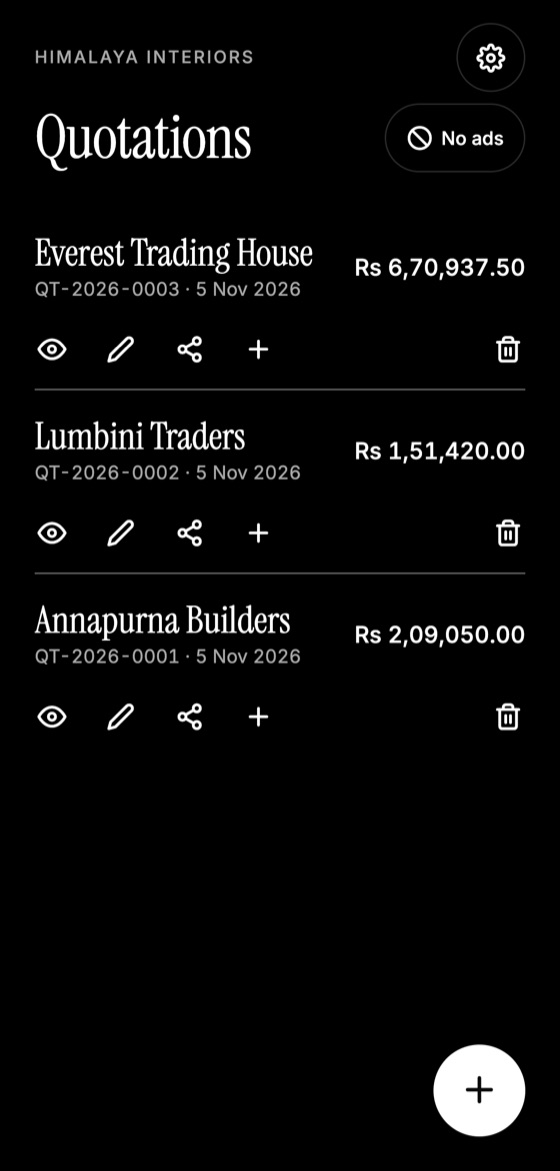
Make this quotation on your phone. Add your company once, then create and share a PDF, even without internet.
It's easy to forward
Many purchases need approval from an owner, partner or manager. A self-contained PDF can be forwarded easily without losing any details.
It's simple to print and sign
A4 PDFs print well, so some clients sign them by hand. Others accept using an electronic signature or a written reply.
Make your PDF work well
- Name the file clearly. "QT-2026-0012 Everest Trading.pdf" beats "document (3).pdf".
- Keep it small. A huge logo makes the file slow to download on weak connections. Resize images where possible.
- Check on a phone. Many clients will open it on a small screen.
- Include the key facts in the message. Add the total and validity with the attachment.
When an editable file makes sense
If a client's procurement team needs your prices in their own spreadsheet, send that too, alongside the PDF as the official version.
Quotation Maker App Offline is free on Google Play. It stores your work on your phone and creates a clean A4 PDF you can share anywhere.
Keep reading
How to Make a Quotation on Your Phone
Create a professional quotation from your Android phone in minutes: set up your details once, add items, and share a PDF with your client.
Quotation App vs Excel: Which Is Better?
Compare spreadsheets, Word templates and quotation apps for making quotes, including speed, errors, phone use, and which fits your business.
Quotation vs Invoice: What's the Difference?
Quotations and invoices look similar but do different jobs. Learn when to send each one, what each must include, and how to avoid common mix-ups.