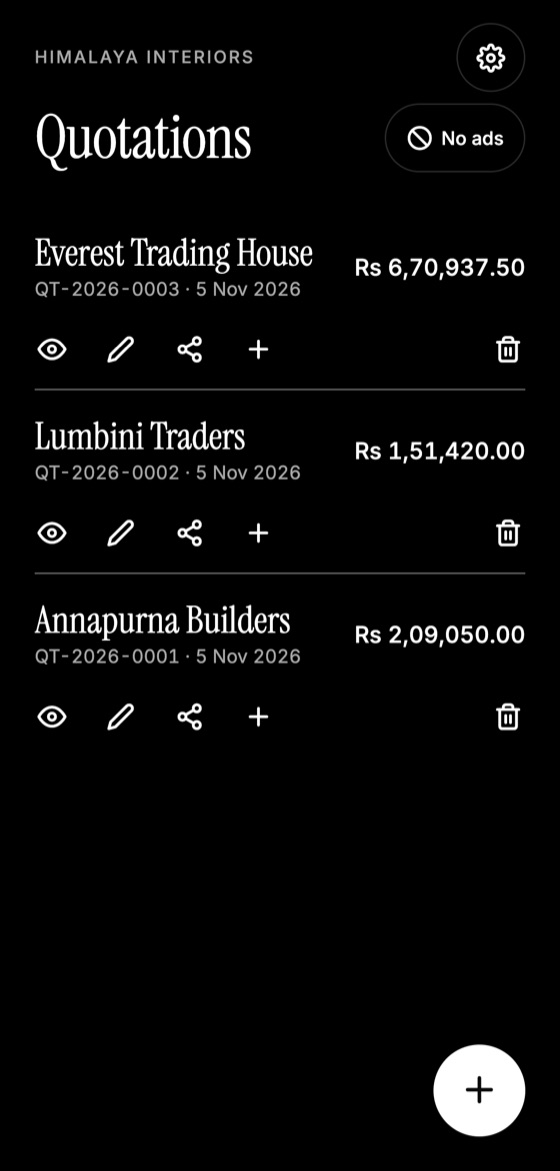
Plenty of businesses successfully use Excel for quotations, and a spreadsheet may be all you need. The right choice depends on where you work and how often you quote. Here's an honest comparison.
When Excel works well
- You usually quote at a desk.
- Your pricing uses complex formulas or many products.
- You're comfortable building and maintaining a template.
- You need custom calculations for each job.
Excel is flexible, and you may already have it.
Where Excel falls short
- It can be fiddly on a phone screen.
- One broken formula can cause a pricing error nobody notices.
- Numbering depends on you remembering the last number.
- Finding old quotes means searching through files.
- Layouts can shift when opened on another device, unless exported to PDF.
Make this quotation on your phone. Add your company once, then create and share a PDF, even without internet.

What a quotation app does well
- It works on your phone, wherever the job is.
- It calculates totals, tax and discounts automatically.
- It numbers each quote for you.
- It creates a consistent PDF with your logo.
- It keeps quotes in one list, ready to edit or duplicate.
Where an app may fall short
A simple app won't suit complex price formulas, approval workflows or integration with accounting systems. Larger companies might need dedicated business software.
How to decide
Ask yourself three questions:
- Do I often need to quote away from my desk?
- Do I send more than a few quotes each week?
- Am I spending time fixing formats and sums?
If you answered yes to any of them, try an app. Many businesses use both: a spreadsheet to calculate costs on large jobs, and an app for the document clients see.
Quotation Maker App Offline is free on Google Play. It stores your work on your phone and creates a clean A4 PDF you can share anywhere.
Keep reading
How to Make a Quotation on Your Phone
Create a professional quotation from your Android phone in minutes: set up your details once, add items, and share a PDF with your client.
Why You Should Send Quotations as PDF Files
PDF quotations look the same on every device, are harder to alter accidentally, and feel more professional. Here's when and how to use them well.
Quotation vs Estimate: Which One Should You Send?
An estimate is a rough guide, while a quotation is a firm offer. Learn the difference, when to use each, and how to word them to avoid disputes.