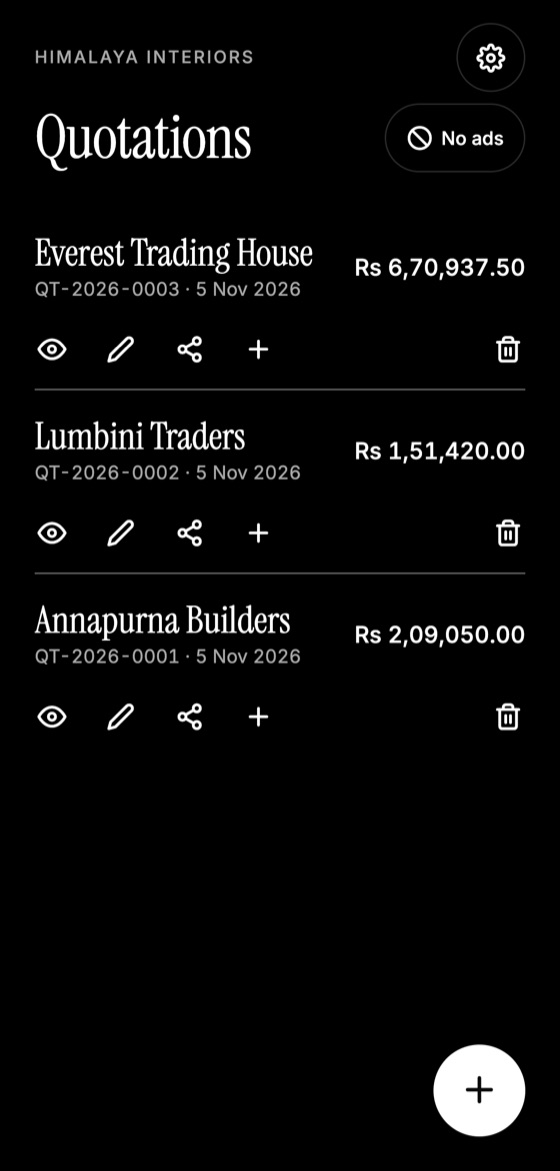
You don't need a laptop to send a professional quotation. If you can send a message, you can create a clean PDF from your phone, sometimes before you've left the client's site.
Why quoting on your phone helps
Speed often wins work. When you quote the same day, the client is still interested and may not have called anyone else. Your phone is also with you where the job is, so measurements and details are fresh.
Step 1: Set up your company once
Add your company name, address, phone number, email, logo and currency. The app reuses them, so they appear on each quotation automatically.
Step 2: Start a quotation
Tap the plus button and add the client's name, if you have it. Address, phone and email are optional.
Make this quotation on your phone. Add your company once, then create and share a PDF, even without internet.

Step 3: Add your items
Enter each item's name, an optional description and its price. Quantity is optional too, which helps with services that don't have a unit count.
Step 4: Add tax, discount and notes
Enter these if needed, along with how long the price is valid and any payment terms. You can check the whole quotation on the review screen.
Step 5: Share the PDF
Tap Share to send it through WhatsApp, email or any other app, or Download to save it to a folder.
Tips for a good result
- Write item names that a client will understand, not your internal shorthand.
- Use a duplicate of an old quotation for similar jobs.
- Check the total once more before you send.
- Add photos separately in your message if they'd help explain the work.
Quotation Maker App Offline follows these steps, and its main features all work without internet.
Quotation Maker App Offline is free on Google Play. It stores your work on your phone and creates a clean A4 PDF you can share anywhere.
Keep reading
Why You Should Send Quotations as PDF Files
PDF quotations look the same on every device, are harder to alter accidentally, and feel more professional. Here's when and how to use them well.
Quotation App vs Excel: Which Is Better?
Compare spreadsheets, Word templates and quotation apps for making quotes, including speed, errors, phone use, and which fits your business.
How to Write a Quotation Step by Step
A simple step-by-step method for writing a professional quotation that is clear, accurate and easy for your client to accept.